User cannot send more than 3 text chats that contains URLs per minute. His messages will be blocked. After 8 messages per minute with URLs, his IP will be banned.
These new rules are to prevent flooding with random URL shortened services.
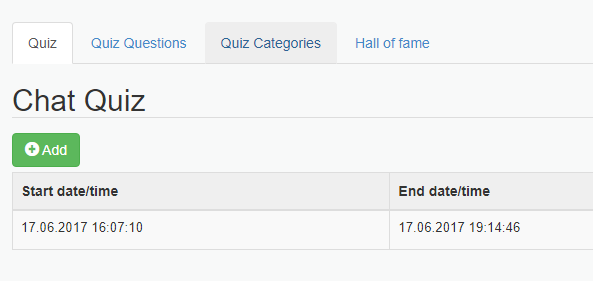
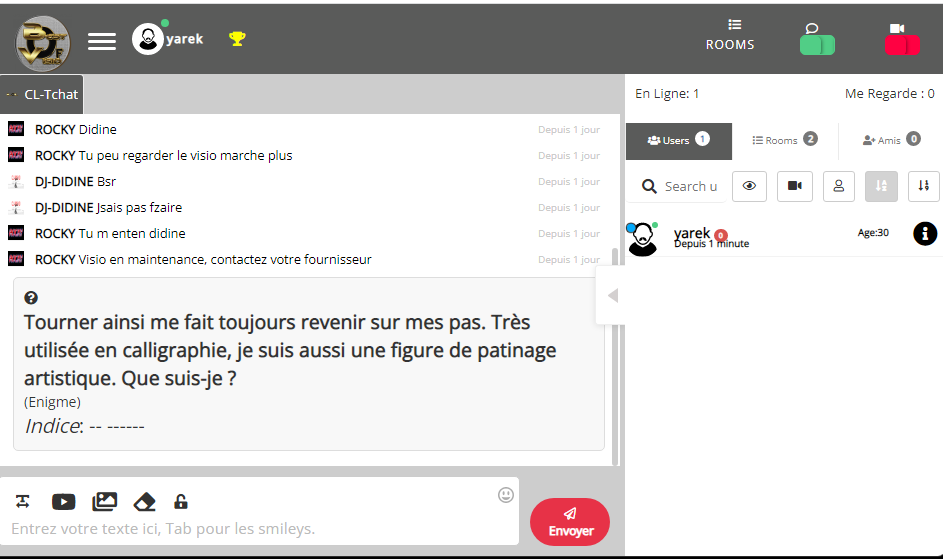
There are a few new devlopements about the chat quiz game (you can enable the quiz game) You enable the quiz game in your chatadmin panel / Quiz menu
You can now organize your questions by category: ex: geography, maths, general
The quiz game points are permanent (if you use the html5-chat users registration feature). You can also access the “hall of fame” (best scores) from your chat admin panel. You can also reset all scores from the chatadmin panel
And finally users have also the “Hall of fame” access from the “Trophy” button located in the chat header
We have added a new feature: a spinning wheel (wheel of fortune) feature into the chat.
What Is the spinning wheel ?
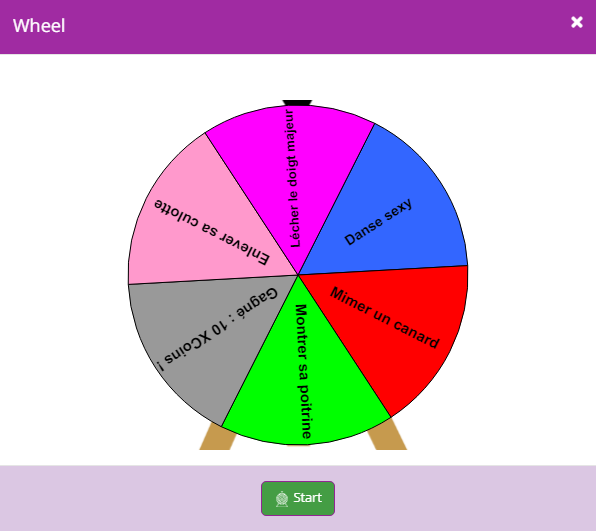
The spinning wheel allows to spin a fortune wheel on all chatters in a room. The wheel is of course synchronized for all users : they see the same wheel spinning at the same tile
The spinning wheel : what for ?
It is a simple amusement widget that allows to spice up the chat. It can be used for challenges or contests.
Who can launch the spinning wheel ?
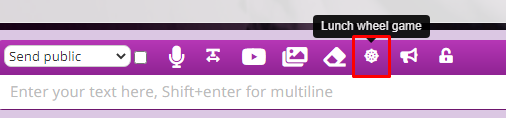
Only users whose role have the “canLaunchWheel” set can launch the spinning wheel. It is localized next to chat input text (bottom left)
Here you can launch the wheel
What does it look like on the chat ?
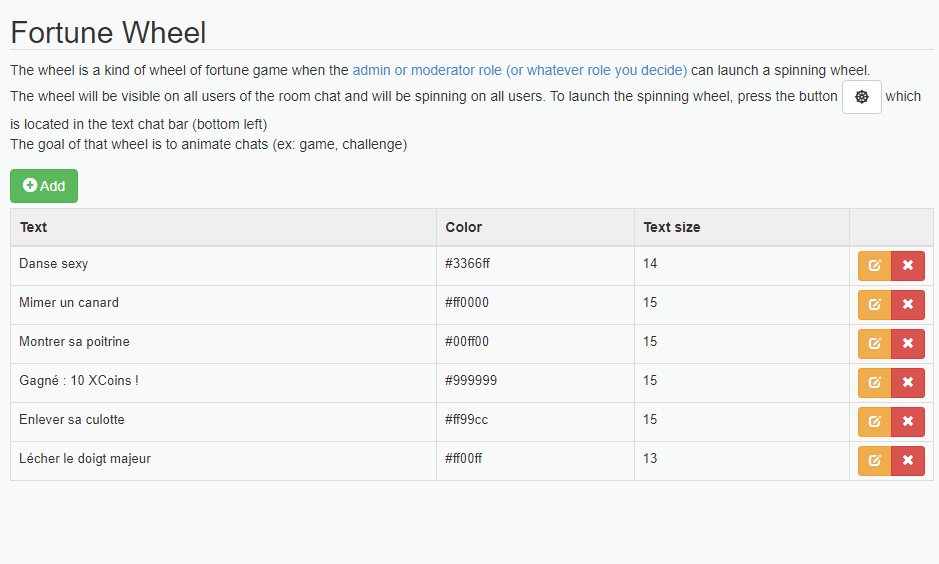
You can define texts, sizes and colors in your chatadmin panel (in wheel of fortune section)
We have added a new feature for admins and moderators. When an user reports another user’s behaviour, the moderator (or admin) online user get an alert in real time.
Get info and history in real time
The alert info about an user is sent to him directly on chat as a new popup. He can also retrieve immediately all history chat about the user who has been reported. Once the report checked, he can easily take a ban action on the abuser if the report data are confirmed.
This is an automatic feature : no needs to enable any extra features in the chat admin panel.
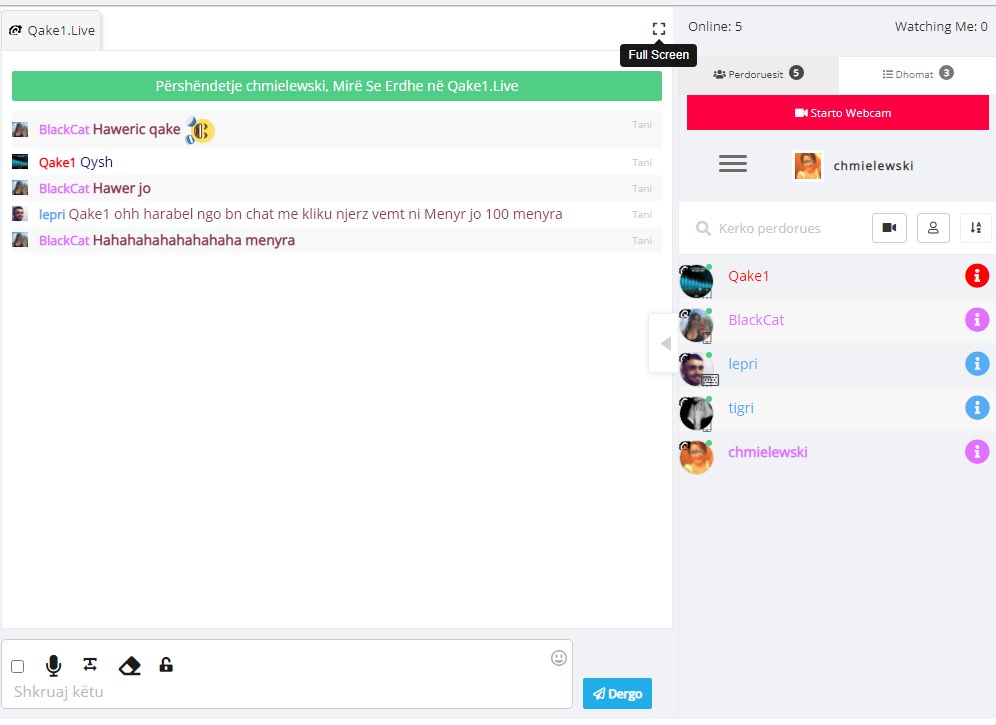
We have added a new feature: the full screen button for chat.
You can enable it in your chat admin / config.
We also added the possibility for hiding keyboards (mobile only) once chat message is sent. By default, chat closes the keyboard, but you can decide to leave it open to keep on sending more texts.
In roles, you can give a role the power to mute a webcam : once muted the webcam was closed on all users. However, the user could play the webcam again.
We have added a new parameter in config called muteWebcamPreventsPlayingCamAgain that prevent other users to play his webcam again : his webcam button will be removed from the user list.
The uploaded image is inserted into the chat input text as a thumb and you can send it to the chat.
Now you can upload the image directly to the chat without inserting the thumb in the input text : you ahve added a new field uploadImageSendDirect in the config.
Once checked, the image you upload goes directly to the chat. This is very useful for mobile chat.
We have added a new feature: fast image uploading. This feature is based on the client size resizing.
The normal process of uploading images is the following:
chatter chooses an image
this image is uploaded to server
this image is resized
the resized image is sent back to chat
As you see, if you choose a huge image (50 megas for instance), uploading process can take time since you need to upload 50 megas. This can be a real pain with mobile phones.
We have introduced the resizing on client side before uploading to server.
So now the process is:
chatter chooses an image
this image is resized
this resized image is uploaded to server
the resized image is sent back to chat
As you can see, the process is much quicker. Besides it allows to upload big size photos since they will be resized before.
Now the caveat of this method is that the final image has JPEG format only. So you upload an animated GIF, you will get a static JPEG picture
This website uses cookies to improve your experience. We'll assume you're ok with this, but you can opt-out if you wish.AcceptRejectRead More
Privacy & Cookies Policy
Privacy Overview
This website uses cookies to improve your experience while you navigate through the website. Out of these, the cookies that are categorized as necessary are stored on your browser as they are essential for the working of basic functionalities of the website. We also use third-party cookies that help us analyze and understand how you use this website. These cookies will be stored in your browser only with your consent. You also have the option to opt-out of these cookies. But opting out of some of these cookies may affect your browsing experience.
Necessary cookies are absolutely essential for the website to function properly. This category only includes cookies that ensures basic functionalities and security features of the website. These cookies do not store any personal information.
Any cookies that may not be particularly necessary for the website to function and is used specifically to collect user personal data via analytics, ads, other embedded contents are termed as non-necessary cookies. It is mandatory to procure user consent prior to running these cookies on your website.