New admin tools now included:
Invisible admin: Allows to enter as invisible user to supervise your users.
CanOpenAnyWebcam : allows to display any webcam, including these who are private
You will find these features into your chat admin panel
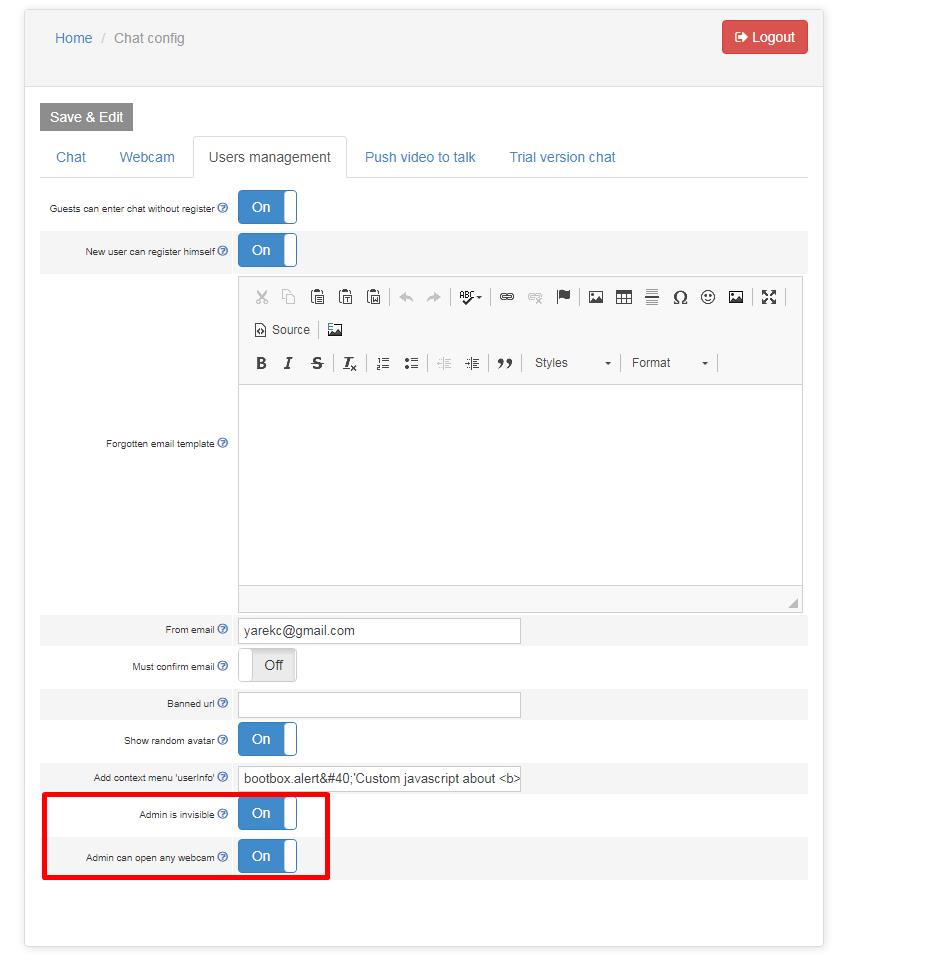
Invisible admin: Allows to enter as invisible user to supervise your users.
CanOpenAnyWebcam : allows to display any webcam, including these who are private
You will find these features into your chat admin panel
We recently added new feature: display info about user inside the chat.
Go to your admin panel and choose chat config->users management.
Then enter the script you want to be executed when right click on user inside the text input “Add context menu ‘userInfo'”
ex: enter there
bootbox.alert(‘Custom javascript about <b>{username}</b><br>You can redirect to your own script or url with parameter: username’);
when user right click on an user, it will show the context menu “user Info”. If user clicks on that item, the javascript bootbox.alert(..) will be executed.
Notice that you have a dynamic field called {username} where you get the username. This is useful to make an ajax call and retrieve data about the user or open an url such as userInfo.php?username=username
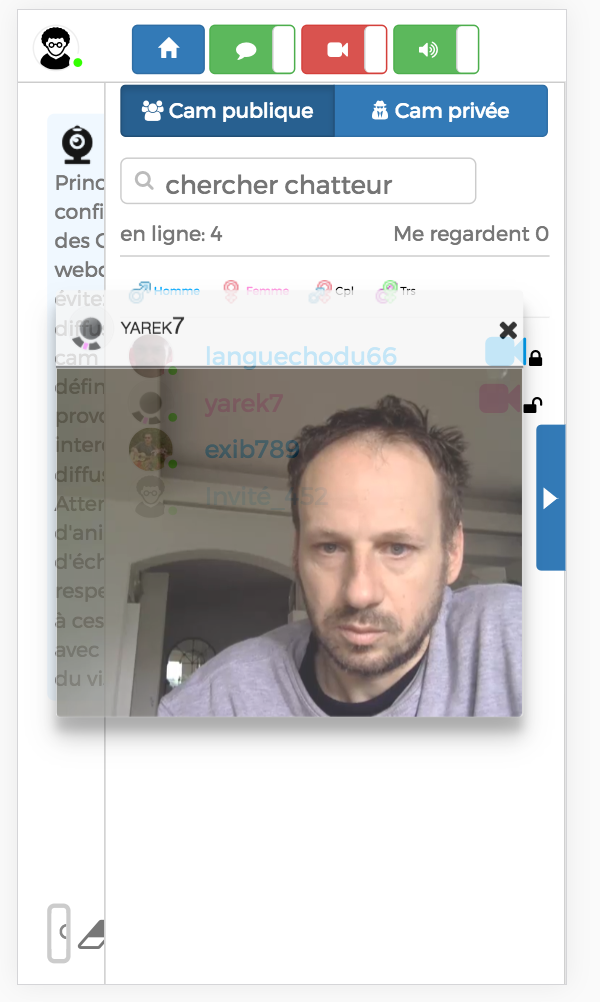 For all users who do not have Flash or did not enable flash: you can now watch at the live webcam streams without having Flash plugin.
This is useful for mobile devices or those who did not have flash enabled.
Latency of HLS is about 10 seconds.
Now you can easily add a quiz game directly to your html5.
Fo your your admin panel
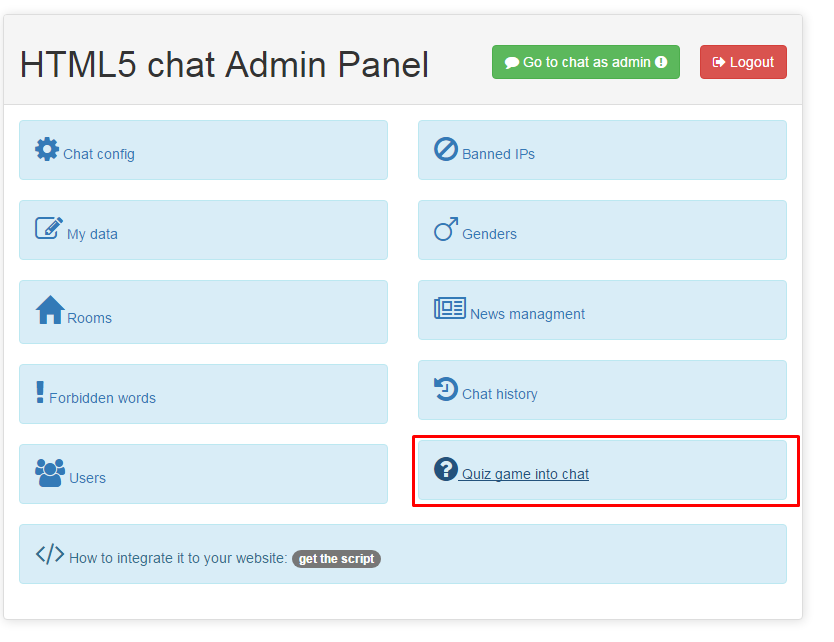
Then assign a quiz to a room and set the start date and end date.
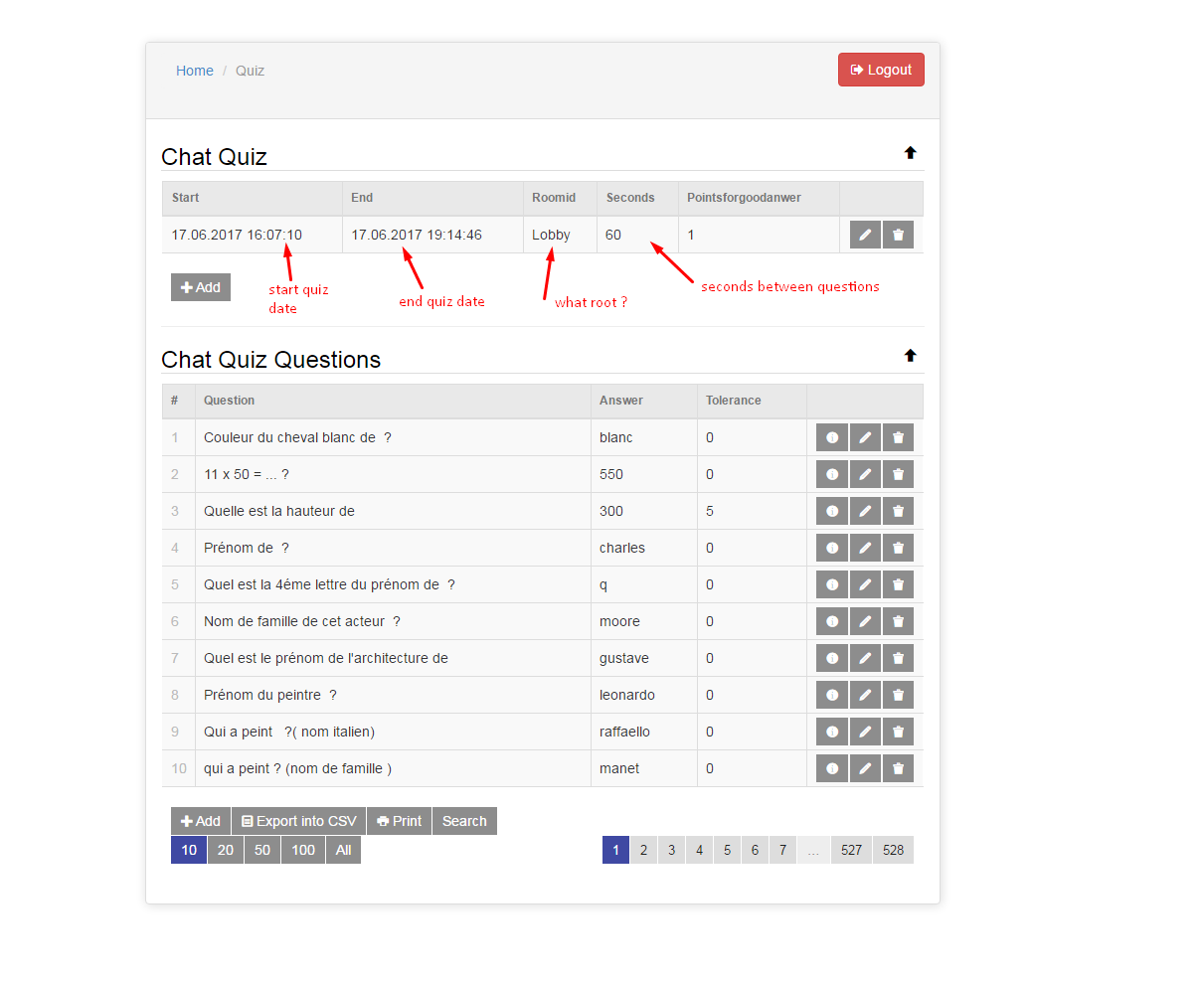
Finally add questions.
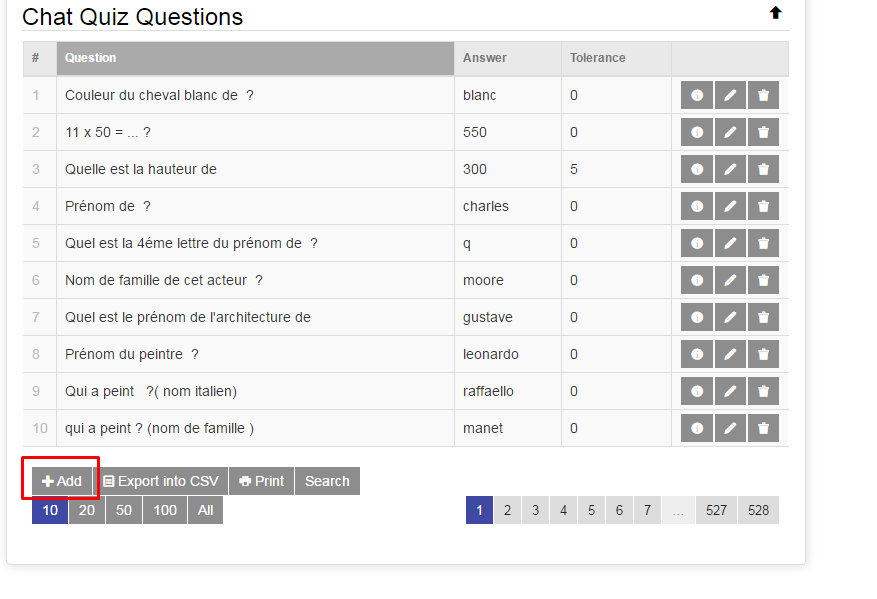
You can also add visual questions: for that use the FlickR plugin we created:
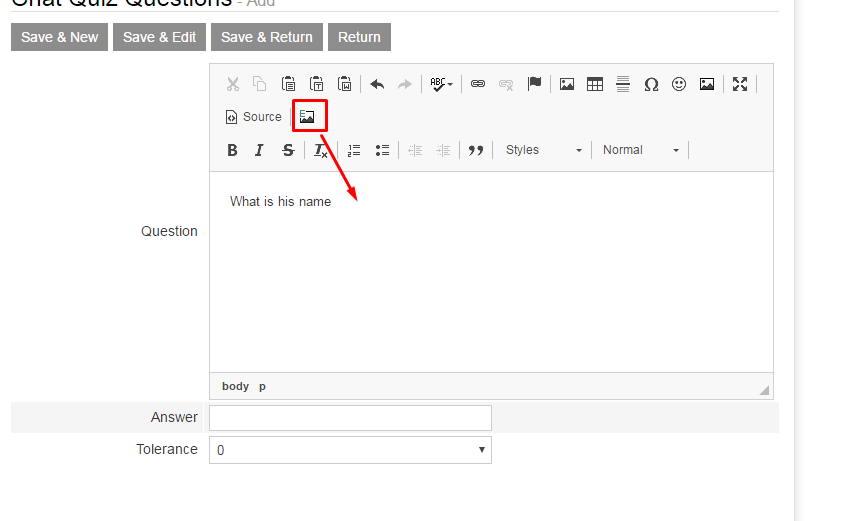
and type in a keyword (ex: Einstein)

Then choose the adequate image to your quiz
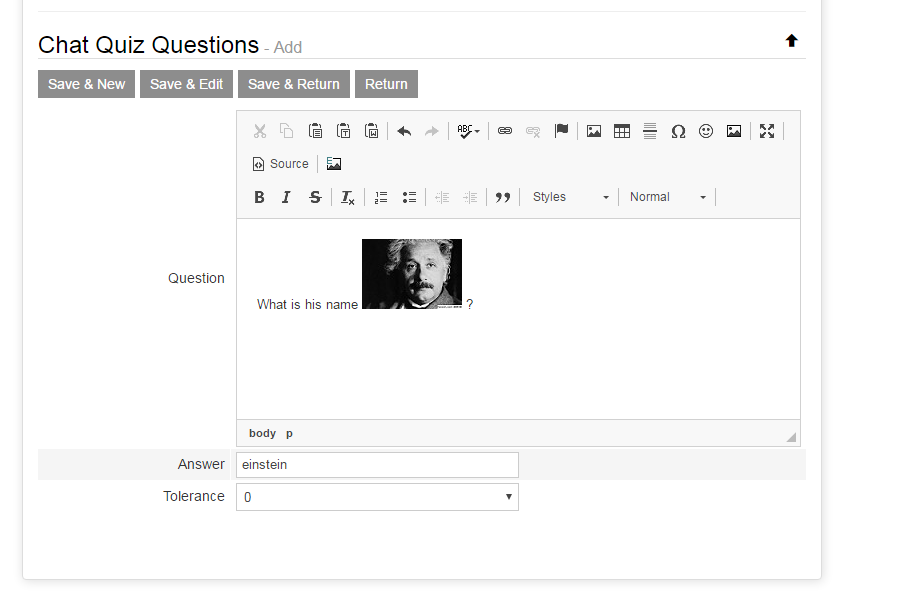
Once the quiz created, it will start automatically on the defined date and stop at the defined date. A random question will be chosen between those created. First user to correctly answer to the question will win.

Now, it is possible to add html5chat to you WP blog.
Use our html5chat plugin.
You can get the plugin from:
https://wordpress.org/plugins/html5-chat/
here is a an integration sample
Many chats are integrated into exiting websites that already manage their own user login/password. So to avoid a double login process you can auto login to your chat automatically.
For that, you can pass 2 parameters: username and sex, so an user will be auto login to the html5-chat as ‘username’ whose gender is ‘sex’.
Here is a simple way to do it:
<script src=’https://html5-chat.com/script/1/1010/yarek/m‘></script>
As simple as that !
You have your own HTML chat and you don’t other people to steal your script and use it inside their own site ?
You can easily protect your script so it can only be embedded inside your own website:
 Go to your admin panel and choose Chat URL protection
That way ONLY this URL will be able to embed your html5 chat script.
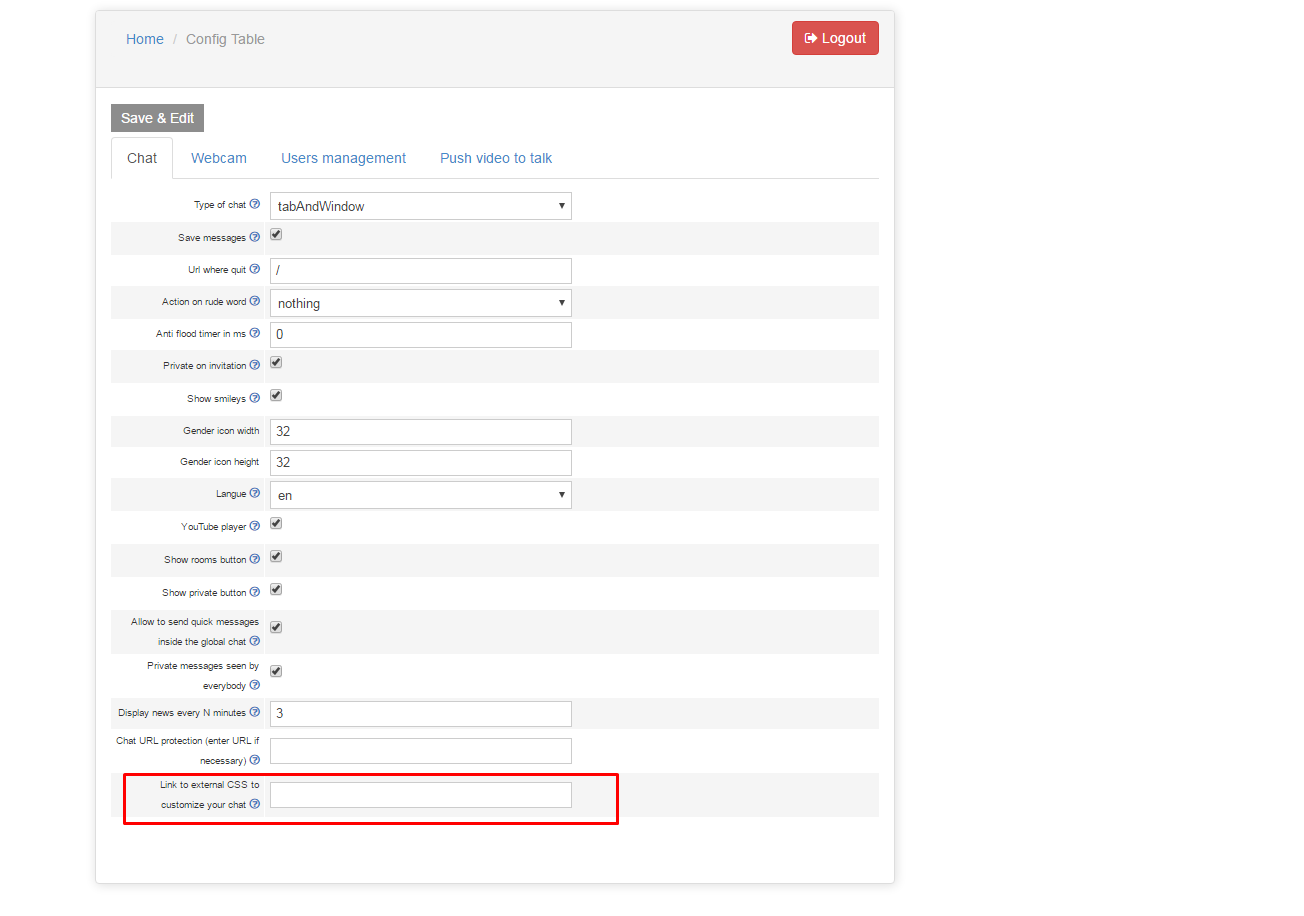
New: it is now possible to add your external CSS to the chat to customize its look&feel.
Go to your admin panel and enters the link to your CSS file: it will be added at the end of CSS of your chat.
You can now create some red or green templates or totally change the layout of your chat.