new feature: send video snapshot messages

Video snapshots

New feature: you can now take short videos and upload them as pictures.

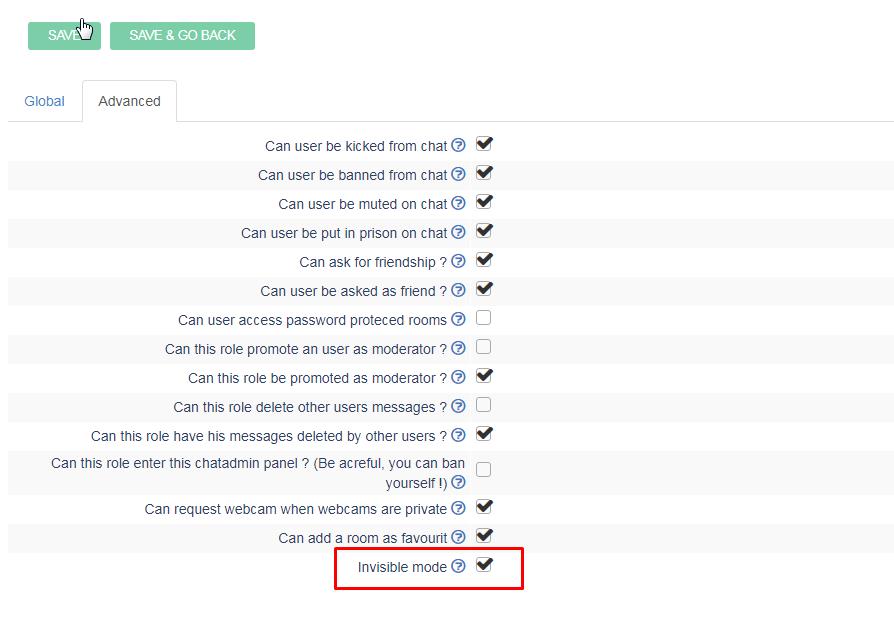
You need to enable in roles in your chatadmin the property called “canSnapshot”.

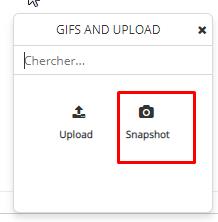
Once enabled, you will be able to upload snapshots. Click on snapshot icon.
Of course you need to enable webcam to access that feature.

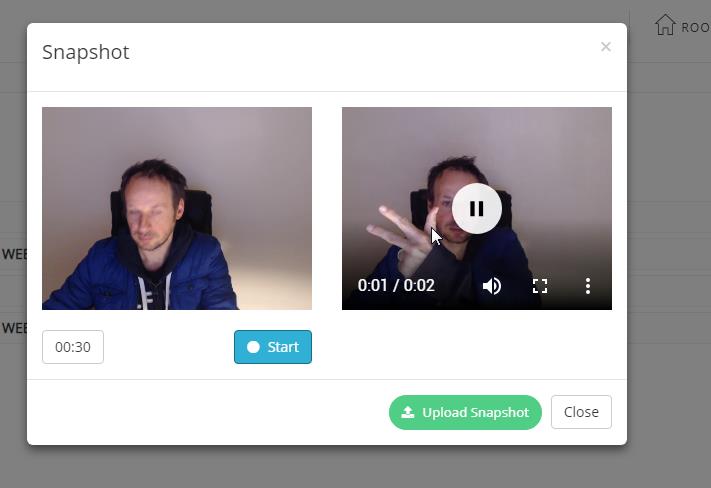
Once opened, snapshot modal window allows you to record a quick sequence of video,
30 seconds max.When sequence is recorded, you can replay it, close it or upload it to publish it.

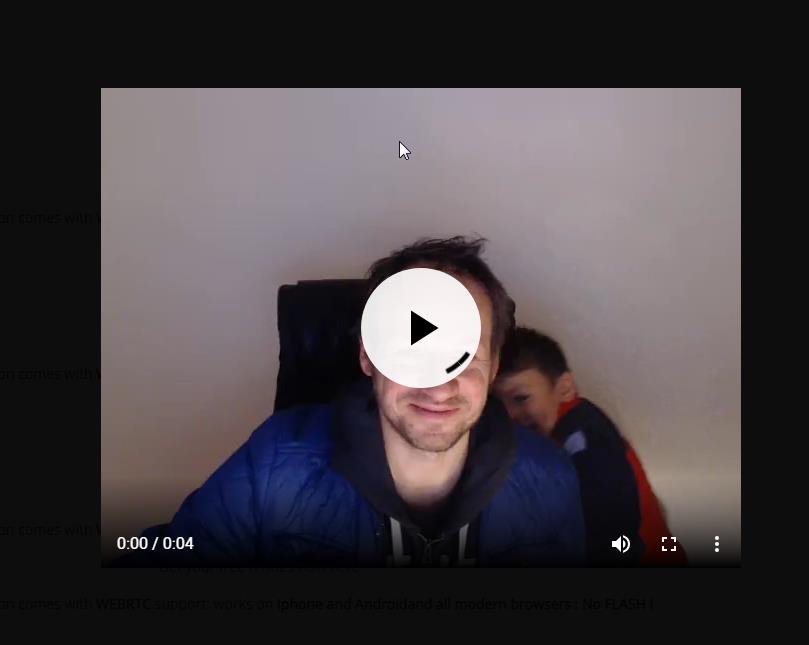
Once uploaded, you can play it back.


.


timeoutOffline and timeoutLogout

New features to handle chat idles.

timeoutOffline :

You can now set the status of an user as offline after N seconds of inactivity (idle) in your chatadmin config  : timeoutOffline (put 0 if you don’t need that feature)

If user leaves the inactivity, he retries his former status.


timeoutLogout

You can also disconnect an user after N seconds of inactivity in your chatadmin config: timeoutLogout (put 0 if you don’t need that feature)

Where to find that option ?

in : chatadmin / config / users management


Chat Contest feature

New feature : Chat contest

Roles can now enter a chat contest. A contest is simply when a chatter votes for another chatter.

A chatter can only vote once for another chat. He awards him 1 point.

You can enable a contest in the “roles” chat admin and reset the votes in your chatadmin panel as well.

When a vote is sent, a notification is sent to both users.

In your chatadmin, you also have the TOP 10 votes.

trial version

Message for no registered users

Possible scenario : your website runs a dating site where you can free users (role = guest) and paid users (role = user).

Of course free guest users cannot access all features that a paid user has.

Ex: a guest user cannot request a private chat.

We have 2 ways to solve that:

  1. this feature is hidden to the guest user.
  2. This feature is visible to the guest user, but when he tries to access it, he has a message box that explicitly tells him: “you cannot access that feature”.

The pro of this second solution, is to incite the user to become a paid user on your site.

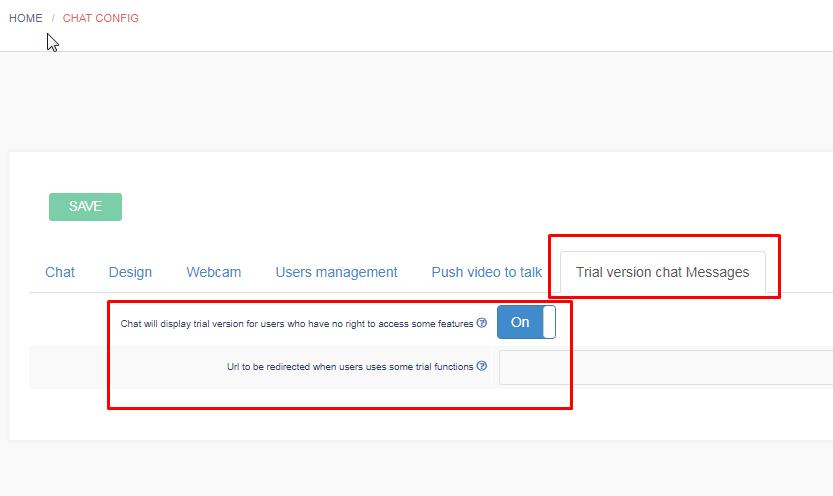
How to enable this second solution : go to your /chatadmin panel as usually and choose the “trial version chat messages”

If you specify the Url to be rediercted, the user will be redirected to that url, after he shows the message: this url will be probably the “purchase” or “register” page on your website.

New weapons against flooding

2 new Tools available in /chatadmin/security to fight against flooding the chat

maxLenthMessage

 Maximum number of characters an user can send per message.
Default is 512.
When user tries to send a longer message, message is cropped to N-1 chars


maxLinesMessages

Maximum number of RETURN character in a chat message.
Default value is 8
When users inserts more than N RETURN characters, messages is cropped.

adult rooms

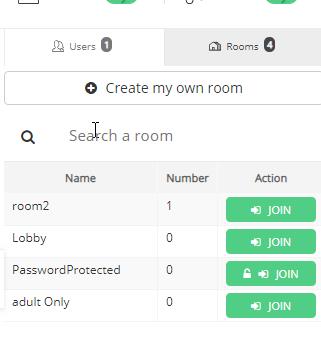
New feature: you can now assign rooms as adult room

When a new user enters an adult room, you can choose 3 actions.

These actions are defined in the security panel

You can :

  • do nothing
  • Warn an user it is adult
  • Hide the room if user is minor of 18

The case “Hide the room if user is minor of 18”, implies you know the age of the user. We added the “age” on the registration panel.

If you use JWT to inject your data, then you can use that extra field:

birthyear

to add the year of birth of the user

ex: birthyear:1995


You can also use

seenByAdultOnly

that means that this member will be seen only by adults (if seenByAdultOnly=1)


New private and whisper features

New private text and mention features

For better readability and clarity we renamed:

“Send quick message” to “Mention”

and we remove the # and @ in texts and add clearly the avatar and the action of the user:

You clearly see now the avatar of the user you are sending a mention or a private text

You can however style use the shortcuts # and @ to autocomplete the user

# is for private message

@ is for mention.

This change also corrects the user of users that were containing some [SPACE] character inside their usernames.

mention

start

How to directly enter a room ?

(UPDATED – fixed bug)
New feature: It is now possible to join a particular room directly at login

2 cases

Let suppose you want to join room id : 1620
(you can find out your room id in your chatadmin)

https://html5-chat.com/chat/54/?startRoom=1620


  1. if you don’t use JWT authentification, just pass the url parameter startRoom
    ?startRoom=1620
  2. You do use JWT to login, then just inject the parameter: startRoom: id
roomid
Where to find the room id ?


so for room : 1620, you just need to add

'startRoom'=>1620

So for instance your JSON will be:


$json = json_encode(array('username'=>'myUsername', 'password'=>'myChatAccountPassword', 'gender'=>'male', 'role'=>'user', 
'image'=>base64_encode('https://html5-chat.com/img/malecostume.svg'), 'profile'=>'https://monsite.com/profile/myUserername', 'startRoom'=>1620));