html5 with Drupal7

This is very similar to Drupa8/9 plugin

you can download it from this link

Create a new field called “gender”

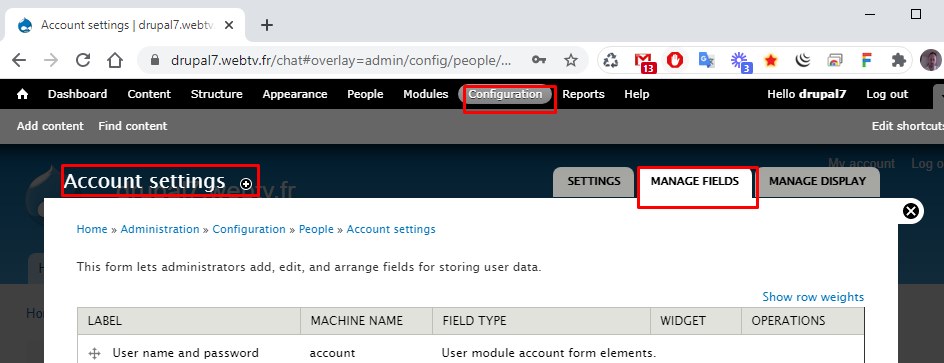
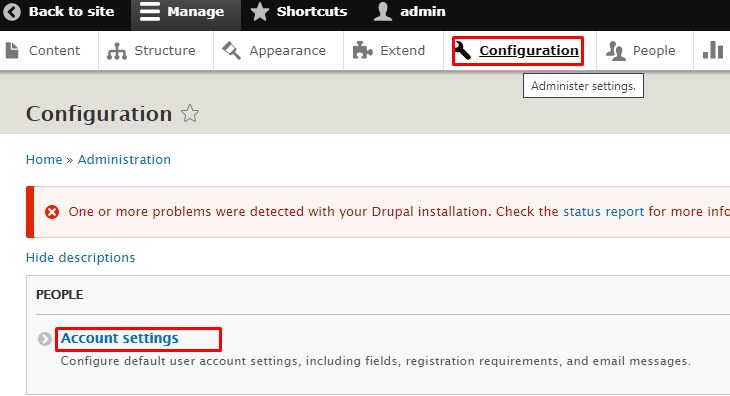
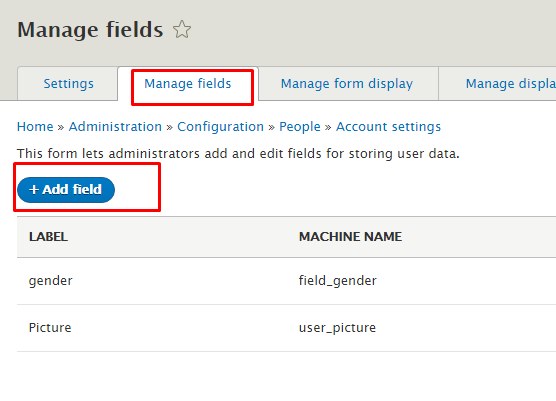
go to : configuration->Account setting, Managed field

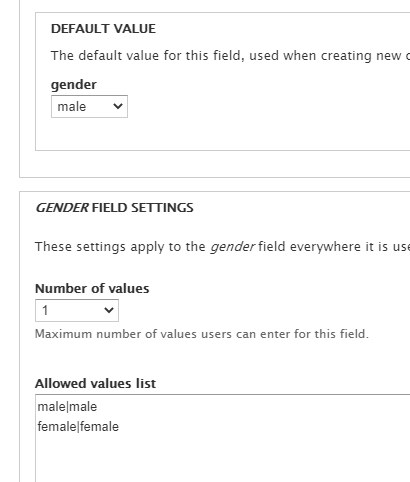
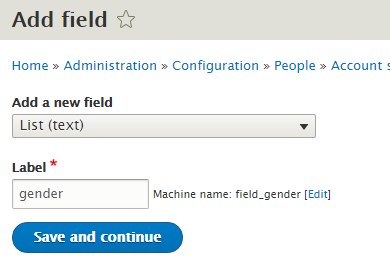
Add new field called “gender” (list text)

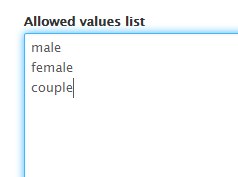
and put them values : male female

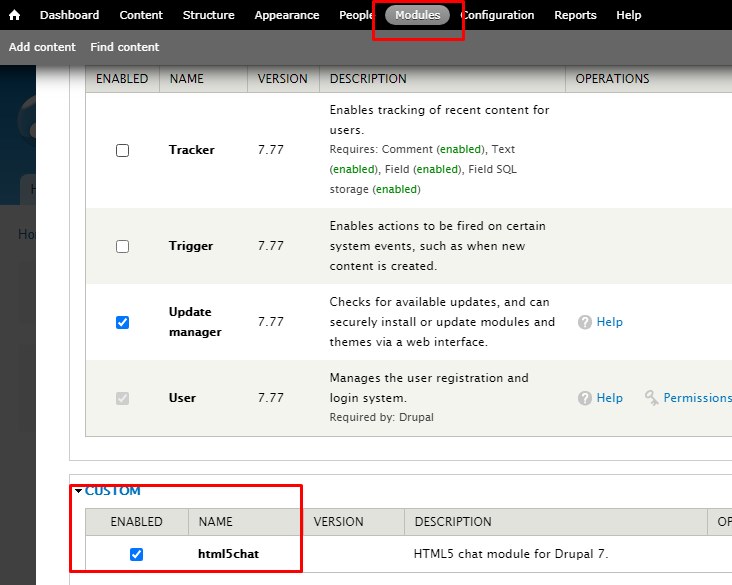
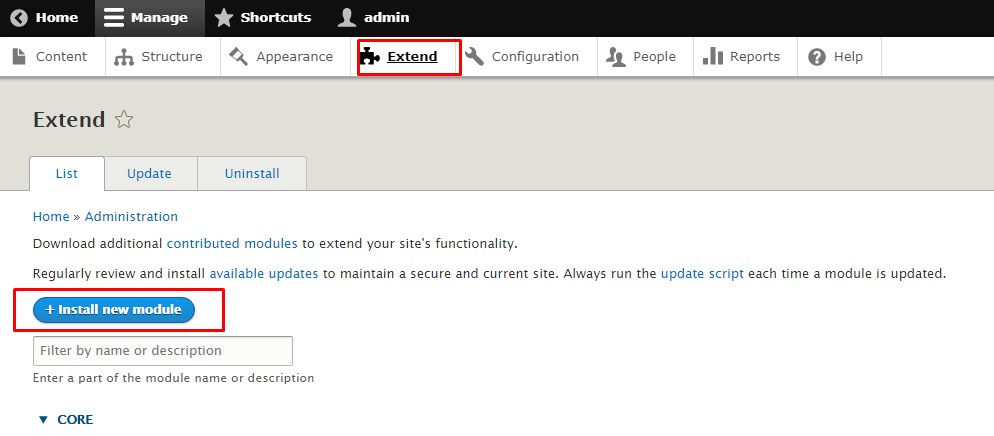
Install the plugin

Go to structures/blocks

and enable Content / html5chat

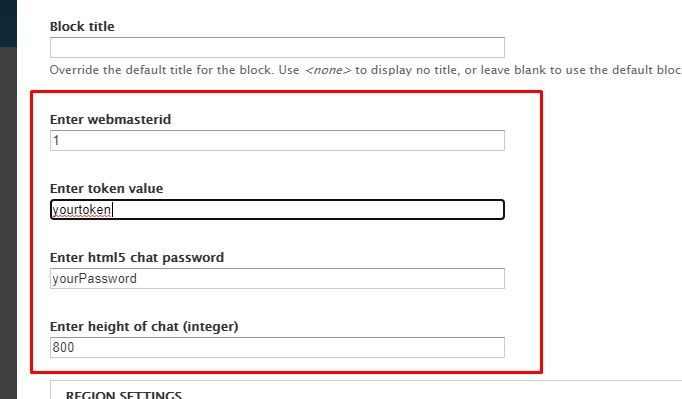
then edit the chat parameters with your own html5 chat account data

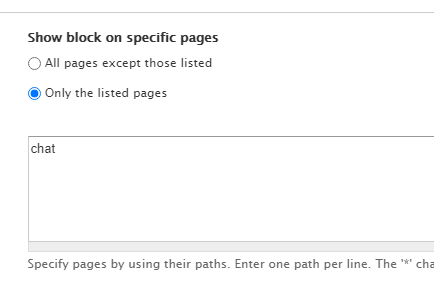
Restrict that block to chat page

Create a new page

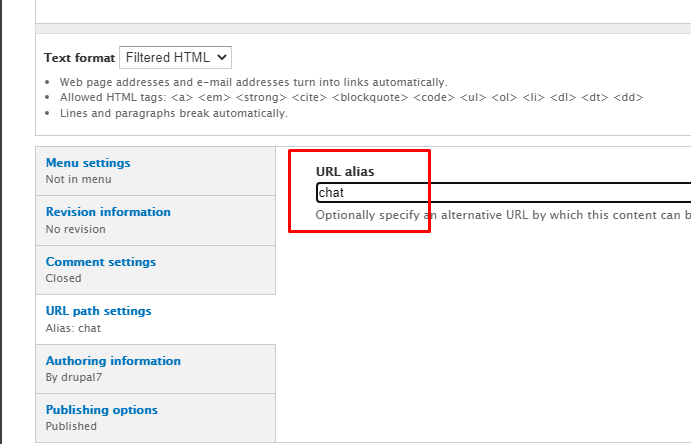
and set the URL alias as chat

Congratulations: you just created your html5-chat inside yoursite.com/chat page

Drupal8/9 and html5-chat

Here is a quick guide on how to install html5-chat with Drupal8/9

Create a gender user field in configuration / Account Settings


Add a new field

called gender

Add values like: male, female, couple

Download and install the plugin for Drupal8/9

install plugin for drupal

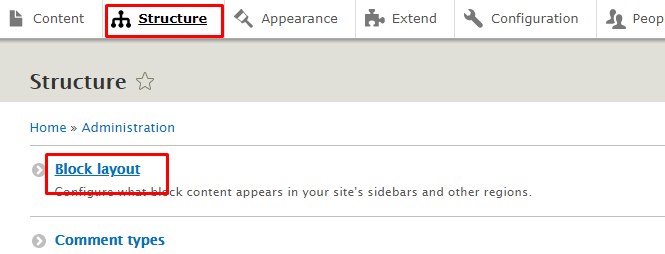
Go to structure – > block layout

structure / block layout

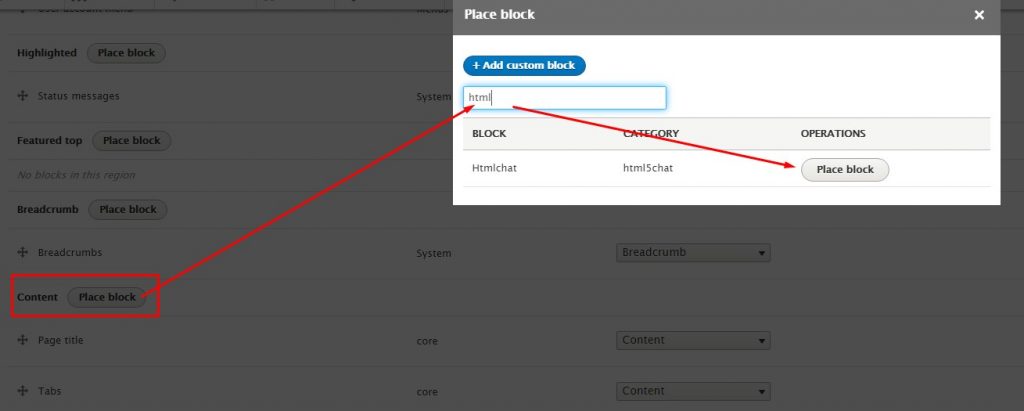
Go to content, click on Place bloc, search for htmlchat and click place block in the modal window

step3

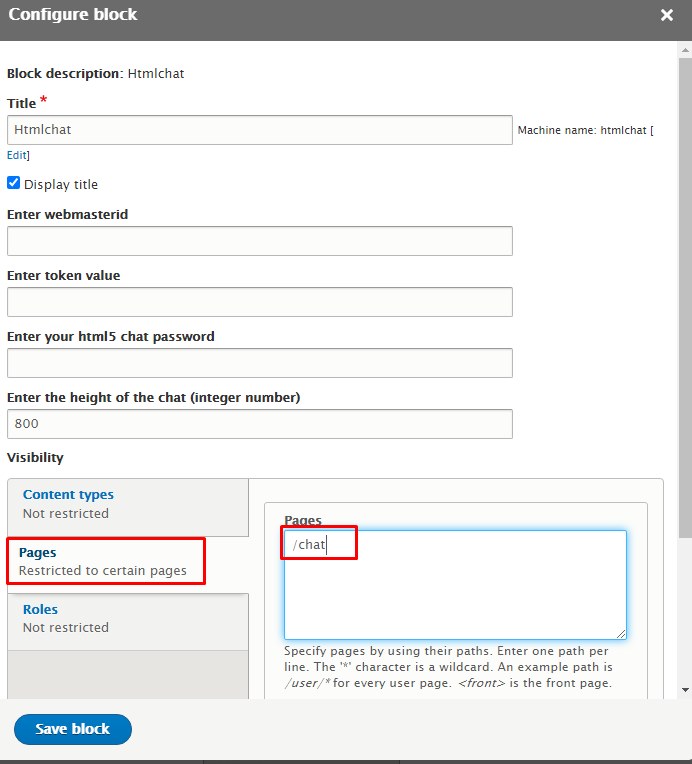
fill the data:

  • webmasterid
  • token
  • password
  • height

You will find ALL these data from your chatadmin panel


Go to the Pages vertical tab and enter /chat

that means that the page named “chat” will contain your html5-chat

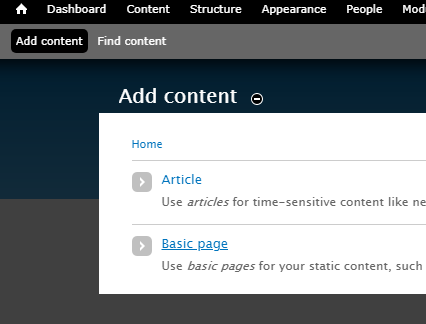
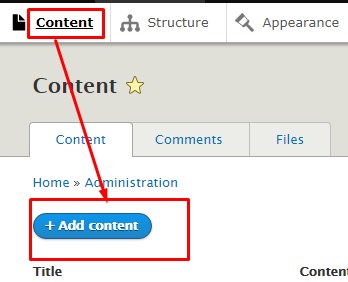
Go to content-> add content

Add new content

and choose “Basic page”

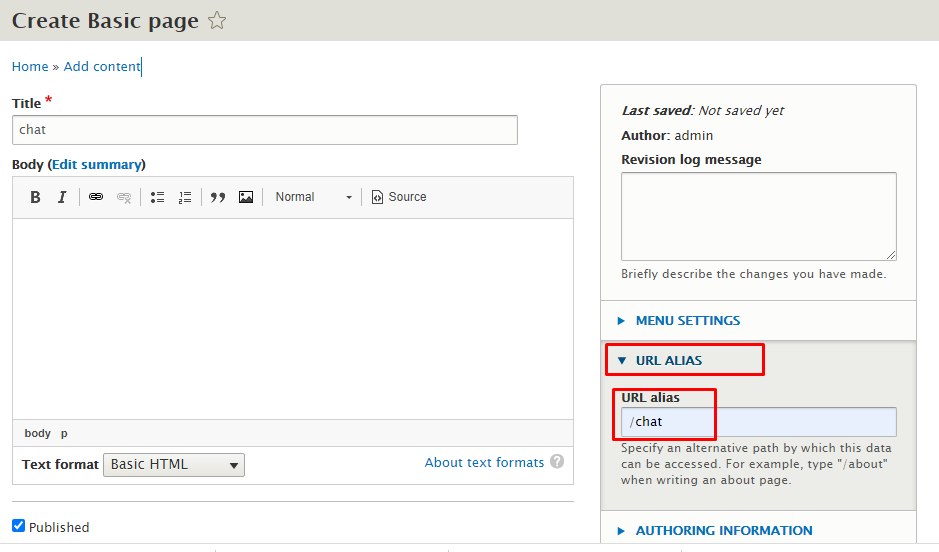
Enter a title for the basic page and enter /chat in URL ALIAS

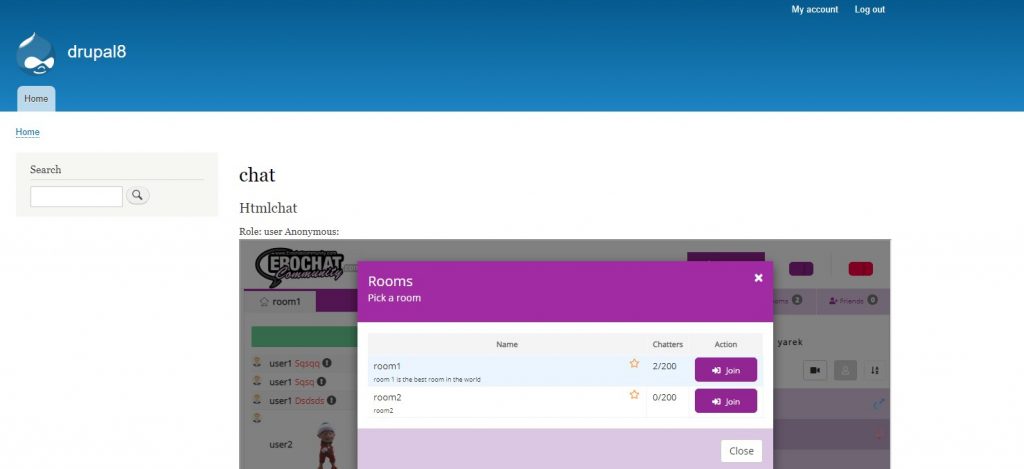
And that’s ALL. Save all (clear cache from Configuration->performance) and go to yoursite.com/chat and your html5-chat chat will appear there !

All done ! congratuilations !

How to add html5-chat into Vbulletin ?

Vbulletin is a very popular forum system for your website.
Here are the steps to integrate Html5-cjat into vbulletin

<?php
session_start();
require_once('./global.php'); 
$user = array(
   'id'      =>$vbulletin->userinfo['userid'],
   'username' =>$vbulletin->userinfo['username'],
   'gender'   =>strtolower($vbulletin->userinfo['field5']),
   'country'  =>$vbulletin->userinfo['field2'],
   'birthday' =>$vbulletin->userinfo['birthday'],
   'role'    =>$vbulletin->userinfo['usergroupid'],
);
//die($user['role']);
if ($vbulletin->userinfo['avatarrevision']>0) {
   $user['image'] = "https://exbb.redclouds.com/customavatars/avatar".$vbulletin->userinfo['userid']."_".$vbulletin->userinfo['avatarrevision'].".gif";
}

$encoded = file_get_contents("https://jwt.html5-chat.com/protect/".base64_encode($json));

you inject that encoded string into your JS script

<script src="https://html5-chat.com/script/<?=webmasterid?>/<?=$encoded?>"></script>

And that’s ALL. You can read more about full JWT integration:
https://html5-chat.com/blog/jwt-a-quicker-and-simpler-version-using-the-html5-service/

delete room

Dynamic rooms management (updated)

We have added 3 new rules for dynamic rooms. Dynamic rooms are real time created rooms by users (you can enable them in your chatadmin roles panel: can create room)

In your chatadmin config/Chat, you can find now a new select box “When a dynamic room is deleted ?” that has 3 possibles states

  1. creatorLeavesRoom
    The dynamic room is deleted as soon as its creator leaves the room (even if there are people in that room).
  2. noMorePeopleInRoom
    This room is deleted when there is no more people in the dynamic room
  3. creatorLeavesRoomAndNomMorePeopleInRoom
    This room is deleted when creator leaves the room AND there is no more people in this room.
  4. creatorLeavesChatAndNoMorePeopleInRoom
    This room is deleted when creator leaves the chat AND there is no more people in this room.

Notice that a dynamic room can be deleted directly in the chat.
You can define who can delete dynamic room from chatadmin roles:

canDeleteRoom : this role can delete ANY dynamic role (should be reserved to admins or moderators)

candeleteHisRoom : this room can delete only his own room

private webcam

Webcam inside window private chat

When you choose chat type: window, your private chat will open in individual draggable, resizeable windows.

Now you can start an exclusive webcam video chat inside that individual windows: you just need to check the option: “Private tab window has webcam” inside your chatadmin / config / webcam panel

Webcam inside private chat window

Notice that this webcam is EXCLUSIVE to an user: other users will not be able to watch at you and also, you cannot open many individuals webcams at the same time.